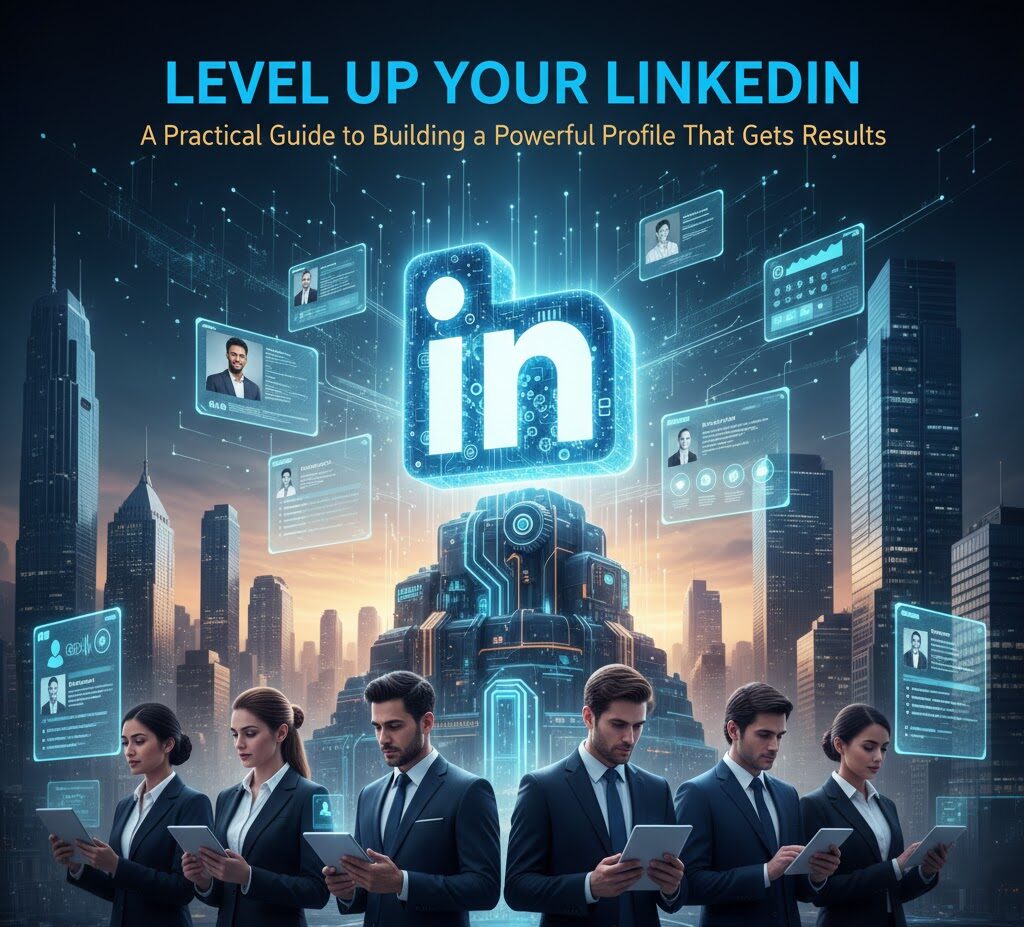
A Practical Guide to Building a Powerful Profile That Gets Results
So, you’re on LinkedIn. Great! But are you *really* on LinkedIn? Are you just lurking, hoping someone will stumble upon your profile and offer you a dream job? Or are you actively using this powerful platform to build your brand, network strategically, and open doors to incredible opportunities? Look, I get it. LinkedIn can feel like a chore, a digital resume that gathers dust. But trust me, when used correctly, it’s a career-launching, connection-building, opportunity-creating powerhouse. I’ve seen it firsthand, and I’m here to walk you through how to transform your LinkedIn profile from a neglected online document into a dynamic tool that works for you, 24/7.
The Problem: LinkedIn Profiles That Don’t Work
Let’s be honest. Most LinkedIn profiles are… well, boring. They’re a carbon copy of a resume, filled with job titles and responsibilities, but lacking any personality,
They fail to capture the essence of who you are, what you’re good at, and what you’re passionate about. This is where most people get it wrong. They treat LinkedIn like a static document, not a living, breathing representation of their professional self.
The result? You’re invisible. Recruiters scroll past your profile without a second glance. Potential clients don’t see your value. And those networking opportunities? They simply don’t materialize. I’ve made these mistakes myself. I used to think a long list of job titles was enough. Wrong! It’s about showcasing your *value*, not just listing your experience.
Why Your LinkedIn Profile Matters More Than Ever (2026 Context)
In 2026, LinkedIn isn’t just a platform; it’s a necessity. Here’s why:
- Recruiting is Digital First: Companies are increasingly relying on LinkedIn to find talent. A strong profile is your digital handshake.
- Networking is Global: LinkedIn connects you with professionals worldwide, expanding your reach and opportunities.
- Personal Branding is Key: In a competitive market, your online presence is your brand. LinkedIn is your platform to showcase it.
- Thought Leadership Matters: Sharing your expertise positions you as a valuable resource.
- The Creator Economy is Booming: LinkedIn is the place for content creation and building your audience.
If you’re not using LinkedIn strategically, you’re missing out on a huge range of opportunities. Think of it like this: your profile is your online storefront. Is yours inviting? Does it showcase your best products (your skills and experience)? Or is it just another closed shop?
Step-by-Step Guide: Crafting a LinkedIn Profile That Gets Results
Let’s roll up our sleeves and build a LinkedIn profile that actually works. We’ll go step-by-step, and I’ll share some real-world examples and common pitfalls to avoid. The goal? To build a profile that attracts the right attention and helps you achieve your professional goals.
Step 1: The Foundation – Your Profile Picture and Banner
This is where you make your first impression. It’s crucial, and so many people get it wrong from the start. Your profile picture should be a professional headshot. No selfies, no blurry photos, and definitely no pictures from a party. Invest in a good headshot; it’s worth it. It communicates professionalism and that you care about your online presence. Seriously, a good headshot is a game changer. I’ve seen people get interviews simply because of their profile picture.
What to do:
- Get a professional headshot taken.
- Make sure you’re well-lit and the picture is clear.
- Dress professionally.
- Smile! (Seriously, a genuine smile makes a difference).
What NOT to do:
- Use a low-resolution photo.
- Use a photo from a vacation or social event.
- Forget to update it.
Banner: Your banner (or background image) offers additional space to showcase your personality or industry. If you work in design, showcase your work. If you’re a thought leader, create a banner that highlights your area of expertise. It’s a prime piece of real estate, so don’t waste it with the default blue. Canva is an excellent tool for creating professional-looking banners, even if you have no design experience. It’s easy, and it looks great.
Step 2: The Headline – Make It Count
This is *not* the place to simply list your job title. Your headline is prime real estate to grab attention and quickly communicate your value proposition. Think of it as your personal elevator pitch.
Traditional (and ineffective) Headline: “Project Manager at XYZ Company”
Effective Headline: “Results-Driven Project Manager | Delivering Complex Projects On Time and Under Budget | [Specific Skill Keywords]”
See the difference? The effective headline tells you *what* the person does, *how* they do it, and the *value* they bring. It also includes relevant keywords to help your profile show up in search results.
What to do:
- Use relevant keywords that people search for (e.g., “marketing,” “project management,” “data analysis”).
- Highlight your key skills and achievements.
- Focus on the value you offer to potential clients or employers.
Example of a great headline: “Content Marketing Strategist | Helping SaaS Companies Drive Leads and Conversions | SEO | Content Creation” This gets to the point and it’s very clear what they do.
Step 3: The “About” Section – Tell Your Story
This is your chance to tell your story, not just list your experience. It’s where you can inject your personality, share your passion, and connect with people on a human level.
It’s also where you can show some Hinglish if you feel it’s natural! This is usually where people get confused. They treat the “About” section like a resume summary. No! Tell a story.
What to include in your “About” section:
- A brief introduction: Who you are and what you do.
- Your key skills and experience: Summarize what you bring to the table.
- Your passions and interests: Show your personality and what drives you.
- Your goals: Where you want to go in your career.
- A call to action: How people can connect with you (e.g., “Feel free to connect and let’s discuss how I can help your team achieve its goals!”).
Example:
“I’m a seasoned project manager with a passion for delivering successful projects. With over 10 years of experience, I’ve led teams to complete complex projects on time and under budget, always with a focus on communication and collaboration. I’m a big fan of the “kaizen” approach
always looking for continuous improvement. I am also learning new skills – I am always upskilling. I’m passionate about helping businesses achieve their goals and I’m always keen to meet new people. If you’re looking for a project manager who can deliver results, please connect!”
Common mistake: Writing a generic, boring summary. Don’t be afraid to show your personality. Add a little humor. Make it engaging.
Step 4: Experience – Showcase Your Achievements, Not Just Your Tasks
This section is where you list your work experience, but it’s not enough to simply list your job titles and responsibilities. You need to showcase your *achievements*.
Instead of: “Managed social media accounts.”
Write: “Increased social media engagement by 30% in six months by implementing a new content strategy and optimizing posting times.”
See the difference? The second example highlights a *specific achievement* and the *results* you achieved. Always quantify your results whenever possible (e.g., “increased sales by 15%”). If you do this incorrectly, it creates problems later when people look at your profile. They won’t know the impact you had.
What to do:
- Use action verbs to describe your responsibilities (e.g., “Managed,” “Developed,” “Implemented,” “Led”).
- Quantify your achievements with numbers and data.
- Focus on the impact you made in each role.
- Include relevant keywords.
Step 5: Skills & Endorsements – Leverage Your Network
List your skills (both hard and soft) and ask your connections to endorse you. This helps you get found in searches and demonstrates your credibility.
This is usually where people get confused about how many skills they should list. Don’t go crazy. List your core competencies. If you are good at communication, list that. If you are also good at project management, list that.
What to do:
- List your most important skills.
- Ask colleagues and former managers to endorse your skills.
- Endorse others in return.
Pro tip: Pay attention to the skills that appear most frequently in job descriptions for the roles you want. Make sure these skills are listed on your profile.
Step 6: Recommendations – Build Trust and Credibility
Recommendations are gold. They’re testimonials from people you’ve worked with, showcasing your skills and character. The more you have, the better.
If you have been doing something for many years, you want a few recommendations from some important people. These will go a long way.
What to do:
- Ask colleagues, managers, and clients for recommendations.
- Offer to write recommendations for others in return.
- Make sure the recommendations are genuine and specific.
How to ask for a recommendation: Send a personalized message to the person, reminding them of your time working together and highlighting a specific achievement you’d like them to mention.
I usually phrase it like, “Hey [Name], I’m updating my LinkedIn profile and would love it if you could write me a recommendation. I was hoping you could mention the [specific project] and the impact I made.”
Step 7: Activity and Content – Be a Thought Leader (Or at Least Show You’re Active)
This is where LinkedIn goes from a static resume to a dynamic platform. Share articles, posts, and updates to demonstrate your expertise and engage with your network. Even sharing articles from your industry is a great start. It shows you are engaged with what’s happening.
What to do:
- Share relevant articles and posts.
- Comment on other people’s posts.
- Write your own articles or LinkedIn posts.
- Engage in groups related to your industry.
Pro tip: Start small. Share articles a few times a week, and then gradually increase your activity. Consistent engagement is key.
Step 8: Network Strategically – Connect and Engage
LinkedIn is a social platform, so building your network is essential. But don’t just connect with everyone. Build a network of people who are relevant to your career goals.
This is usually where people get it all wrong. They connect with random people and don’t engage. Be strategic about your connections.
What to do:
- Connect with people in your industry, people you admire, and potential clients or employers.
- Personalize your connection requests (e.g., “Hi [Name], I enjoyed your recent article on [topic] and would love to connect.”).
- Engage with your connections’ posts and updates.
- Join relevant groups and participate in discussions.
Pro tip: Don’t be afraid to connect with people you don’t know. Networking is key. However, avoid mass connecting with people without any context. Always send a personalized message. It increases your chances of getting accepted.
Tools and Resources to Supercharge Your LinkedIn Profile
Here are some tools and resources that can help you create a stellar LinkedIn profile:
- Canva: For creating professional-looking banners and graphics (free and paid versions).
- Grammarly: To check your writing for grammar, spelling, and style.
- Headline Analyzer (CoSchedule): To analyze your headline and optimize it for engagement.
- LinkedIn Sales Navigator: A paid tool for advanced networking and lead generation.
Common Mistakes to Avoid
I’ve seen it all. Here are the most common mistakes people make with their LinkedIn profiles:
- Not having a professional profile picture. Seriously, it’s a must.
- Using a generic headline. Stand out!
- Writing a boring “About” section. Show some personality.
- Listing tasks instead of achievements. Quantify your results.
- Not actively engaging with the platform. Be present and participate.
- Having a poor or non-existent network. Expand your reach.
How Long Will It Take? (And What to Expect)
Building a great LinkedIn profile takes time and effort. Don’t expect miracles overnight. However, the initial setup can be done relatively quickly, perhaps a few hours spread over a few days.
The ongoing work involves updating your profile, networking, and engaging with the platform. If you do this incorrectly, it creates problems later.
Here’s a realistic timeframe:
- Initial setup: 2-5 hours.
- Ongoing updates: 30 minutes to an hour per week.
- Networking and engagement: Varies, but aim for at least 30 minutes a day.
Outcome expectations:
- Improved visibility: Your profile will appear higher in search results.
- Increased connections: You’ll grow your network organically.
- More opportunities: Recruiters and potential clients will find you.
- Enhanced brand: You’ll establish yourself as a thought leader in your field.
This is all about putting in the work. You get what you put in. Don’t expect to magically get a new job or a huge client base in a week. These things take time, but the payoff is worth it. This aligns well with what you want and how you can get paid, and it goes a long way.
Future-Proofing Your LinkedIn Profile
The digital landscape is always changing. Here are some tips to keep your LinkedIn profile relevant and effective for years to come:
- Stay up-to-date: Regularly update your profile with new skills, experiences, and achievements.
- Embrace video: Video content is becoming increasingly important. Start creating short videos to showcase your expertise.
- Focus on thought leadership: Share your insights and perspectives on industry trends.
- Adapt to new features: LinkedIn is constantly evolving. Stay informed about new features and use them to your advantage.
- Keep learning: Take online courses and certifications to enhance your skills and demonstrate your commitment to professional development.
Conclusion: Your LinkedIn Profile – A Constant Work in Progress
Building a powerful LinkedIn profile isn’t a one-time task; it’s a continuous process. It’s about consistently refining your brand, building relationships, and showcasing your value to the world. By following the steps outlined in this guide and remaining proactive,
you can transform your LinkedIn profile from a neglected online document into a powerful tool that propels your career forward. So, what are you waiting for? Start building your best professional self. If you want to dive deeper into the world of career advancement, check out Complifest. They have more amazing resources.
FAQ: Level Up Your LinkedIn
Here are some frequently asked questions to provide you with additional insights:
1. How often should I update my LinkedIn profile?
Aim to update your profile at least once a month with new skills, achievements, or content.
2. Should I connect with people I don’t know on LinkedIn?
Yes, but always personalize your connection requests. Tell them why you want to connect.
3. How important is it to have a LinkedIn profile picture?
Extremely important. It’s the first thing people see.
4. What’s the best way to get recommendations on LinkedIn?
Ask people you’ve worked with, and offer to write recommendations for them in return. Make it easy for them!
5. How do I get my LinkedIn profile to show up in search results?
Use relevant keywords in your headline, “About” section, experience descriptions, and skills list.
6. Is it okay to use LinkedIn for personal posts?
Yes, but keep it professional. Share personal achievements, but avoid controversial topics.
7. How do I measure the success of my LinkedIn profile?
Track your profile views, connection requests, and messages. Also, pay attention to the engagement on your posts.
8. What if I don’t have a lot of work experience?
Highlight your education, volunteer experience, projects, and skills. Showcase your passion and potential. Think about the transferrable skills you can offer.