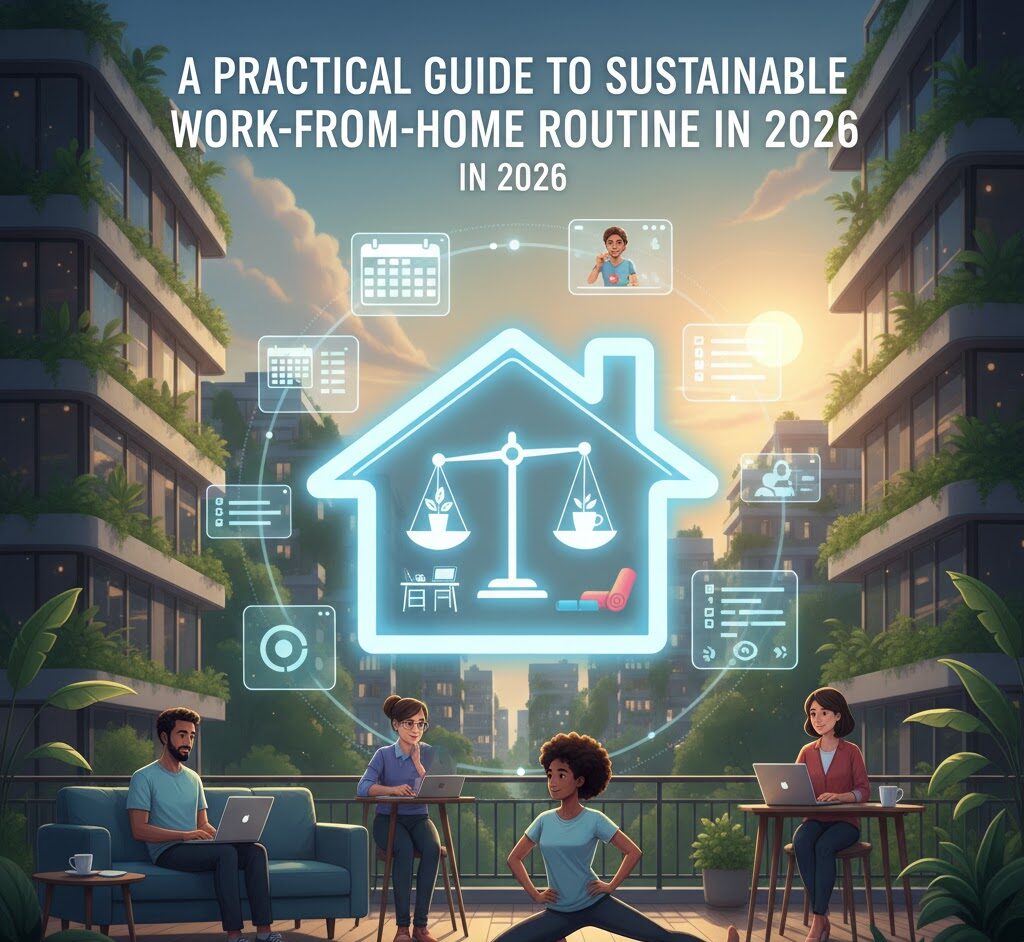
A Practical Guide to Building a Sustainable Work-From-Home Routine in 2026
Working from home. For many, it’s the dream. No more soul-crushing commutes, the ability to wear your pajamas all day, and the promise of ultimate flexibility. But the reality? It’s often a chaotic mess of blurred lines, endless distractions, and a constant feeling of “never truly off.” Sound familiar? I’ve been there. For over a decade, I’ve navigated the choppy waters of remote work. I’ve made every mistake in the book – from working 16-hour days fueled by caffeine and sheer will to letting the laundry pile up until it threatened to take over the living room. It’s a journey, not a destination
and it requires constant tweaking. This guide isn’t about some idealistic vision of working from your couch. It’s about building a real, sustainable routine that actually lets you thrive, not just survive, in the work-from-home world.
The Core Problem: Why WFH Often Fails
The biggest issue with working from home isn’t the lack of an office; it’s the lack of structure. The office provides built-in boundaries, a separation between work and life. When you work from home, that separation vanishes. Your living room becomes your office, your office becomes your bedroom, and before you know it, work has bled into every aspect of your life. This lack of boundaries leads to:
- Burnout: Constantly “on” means you never truly rest.
- Procrastination: Without structure, it’s easy to get sidetracked by chores, social media, or other distractions.
- Guilt: Feeling guilty about not working *or* feeling guilty about working “too much.”
- Strained Relationships: Your family or roommates might feel neglected, and you might feel isolated.
The solution isn’t just about setting a schedule. It’s about designing a lifestyle that incorporates work in a way that’s integrated into your life, not dominating it. Let’s break down the key areas.
Step 1: Define Your Workday & Boundaries (The Foundation)
This is where most people go wrong. They either wing it, hoping a routine will magically emerge, or they try to impose a rigid 9-to-5 schedule that clashes with the realities of home life. The key is to be realistic and flexible. Here’s how to do it right:
- Assess Your “Ideal” Workday: Think about when you’re most productive. Are you a morning person, or do you hit your stride in the afternoon? What hours *truly* allow you to focus, given your other responsibilities? Be honest with yourself.
- Create a Time-Blocked Schedule: Use a digital calendar (Google Calendar, Outlook, etc.) to block out specific times for work tasks, breaks, and personal activities. This isn’t just a list; it’s a visual representation of your day. For example:
- 8:00 AM – 9:00 AM: Morning routine (wake up, exercise, shower)
- 9:00 AM – 12:00 PM: Focus Work (deep work on key projects)
- 12:00 PM – 1:00 PM: Lunch Break & Personal Time
- 1:00 PM – 4:00 PM: Meetings/Communication/Admin
- 4:00 PM – 5:00 PM: Wrap-up & Planning for the next day
- Build in Buffer Time: Life happens. Unexpected phone calls, deliveries, or family needs will arise. Don’t pack your schedule so tightly that minor disruptions throw everything off. Allow for 15-30 minute buffer blocks throughout your day.
- Communicate Your Boundaries: Let your household know your work hours. If you have kids, create clear rules about interruptions (e.g., “unless it’s an emergency”). If you live with roommates, establish quiet hours. This is crucial to avoid constant distractions.
- The “Hard Stop”: Decide on a clear end to your workday. Close your laptop, put away your work materials, and switch gears. This is critical for preventing burnout.
Mistake to avoid: Trying to work the same hours as you did in an office. At home, you can often be more efficient. Don’t fall into the trap of thinking “more hours = more productivity.” It’s a myth.
Step 2: Design Your Workspace (The Environment Factor)
Your physical workspace significantly impacts your productivity and mental well-being. A cluttered or uncomfortable workspace breeds distraction and fatigue. A dedicated workspace doesn’t have to be a separate room, but it *must* be a defined space.
- Dedicated Workspace, if Possible: Ideally, you’d have a spare room or a dedicated office. If you do, great. But if you don’t, adapt.
- Define Your “Zone”: If you don’t have a separate room, designate a specific area. This could be a corner of your living room, a desk in your bedroom, or even a section of your dining table. The point is, this space is for work *only*.
- Ergonomics are Key: Invest in a comfortable chair and ensure your monitor is at eye level. Proper posture minimizes back pain, headaches, and other physical discomforts. A standing desk is a great option if you can swing it.
- Minimize Distractions: Reduce visual clutter. Keep your workspace tidy. Turn off notifications on your phone and computer. Let your family know not to disturb you during focused work blocks. Consider using noise-canceling headphones or playing ambient music to block out noise.
- Make it “You”: Personalize your space. Add plants, artwork, or anything that makes you feel positive and motivated.
Real-Life Roadblock: Many people work from their bed or couch. This is a recipe for disaster. Your brain will associate those spaces with relaxation, making it harder to focus. It’s also terrible for your posture.
Step 3: Master Time Management and Productivity (The Engine)
Time management isn’t about squeezing more hours into the day; it’s about making the hours you *do* work more effective. This is where your time-blocked schedule comes into play, but you need to combine it with specific productivity techniques.
- Prioritize Ruthlessly: Use a system like the Eisenhower Matrix (urgent/important) to focus on the most impactful tasks. Don’t get bogged down in busywork. Identify your “big rocks” – the tasks that, when completed, will make the biggest difference in your work.
- The Pomodoro Technique: Work in focused bursts (e.g., 25 minutes) followed by short breaks (e.g., 5 minutes). This technique can help you maintain concentration and prevent burnout. There are countless Pomodoro timer apps available.
- Batch Similar Tasks: Group similar tasks together (e.g., responding to emails, making phone calls) to reduce context switching and improve efficiency.
- Eliminate Time Wasters: Identify your biggest time sucks (social media, aimless web browsing, etc.) and consciously limit them. Use website blockers or apps that track your time to gain awareness of where your time is going.
- Review and Refine: At the end of each day or week, review your schedule and see what worked, what didn’t, and what adjustments you need to make. This is an ongoing process.
Tools I use: For task management, I love Todoist. It’s simple, flexible, and integrates well with other tools. For time tracking, I use Toggl Track. It helps me see where my time actually goes, which is invaluable for making adjustments.
Step 4: Maintain Work-Life Balance (The Balancing Act)
This is the holy grail of WFH. It’s about consciously creating space for life outside of work. Ignoring this aspect will lead to quick burnout. Here’s how to achieve it:
- Schedule Breaks & Downtime: Just as you schedule work blocks, schedule breaks. Get up and move around every hour. Take a proper lunch break. Plan activities you enjoy for your evenings and weekends.
- Disconnect Regularly: Make a conscious effort to disconnect from work. Turn off work notifications on your phone after your workday ends. Don’t check emails on weekends unless absolutely necessary.
- Prioritize Self-Care: Make time for activities that recharge you, whether it’s exercise, meditation, spending time in nature, or connecting with loved ones. It’s not a luxury; it’s a necessity.
- Set Clear Boundaries with Clients/Colleagues: Let people know your working hours and when you’re available. Don’t feel obligated to respond to emails or calls outside of those hours (unless, of course, your job necessitates it).
- Cultivate Hobbies & Interests: Having interests outside of work provides a sense of perspective and prevents you from defining yourself solely by your job.
Common Mistake: The “always-on” mentality. This is a fast track to burnout. You’re not a machine. You need rest and downtime to function effectively.
Step 5: Combat Isolation and Loneliness (The Human Connection)
One of the biggest downsides of WFH is the potential for isolation. Humans are social creatures, and prolonged isolation can negatively impact your mental health. Here’s how to stay connected:
- Schedule Social Interactions: Make time for regular calls, video chats, or in-person meetups with friends, family, or colleagues.
- Join Online Communities: Find online communities related to your interests or profession. This is a great way to connect with like-minded people.
- Get Out of the House: Even if you’re an introvert, make an effort to leave the house regularly. Go for a walk, visit a coffee shop, or attend social events.
- Use Technology Strategically: Use video conferencing to connect with colleagues. Don’t rely solely on email or chat. Make an effort to build relationships with your coworkers.
- Consider a Co-working Space: If you find yourself struggling with isolation, consider working from a co-working space a few days a week. This provides a change of scenery and the opportunity to interact with other people.
The Challenge: It’s easy to let social interaction fall by the wayside. Make it a priority, not an afterthought.
Step 6: Leverage Technology Strategically (The Power Tools)
Technology is both a blessing and a curse in the WFH world. It can be a powerful tool for productivity and communication, but it can also be a major distraction. Here’s how to harness its power:
- Choose the Right Tools: Select tools that streamline your workflow and enhance your productivity. This might include project management software, cloud storage, communication platforms, and task management apps. Research tools and choose those best suited to your needs.
- Master the Basics: Become proficient in the tools you use. Learn keyboard shortcuts, explore the features, and understand how they can help you work more efficiently.
- Use Communication Tools Effectively: Use communication tools like Slack, Microsoft Teams, or email effectively. Be clear and concise in your communications.
- Manage Notifications: Turn off non-essential notifications on your phone and computer. Notifications are a major distraction. Schedule specific times to check your email and other communication channels.
- Embrace Automation: Automate repetitive tasks whenever possible. This could include using email filters, scheduling social media posts, or using automation tools like Zapier.
My Favorite Tools: As mentioned earlier, I love Todoist and Toggl Track. I’m also a big fan of Google Workspace for document creation, communication, and collaboration.
Step 7: Adapt & Iterate (The Long Game)
Building a sustainable WFH routine isn’t a “set it and forget it” process. It’s a journey of continuous improvement. You’ll need to experiment, adapt, and refine your approach over time. What works for you today might not work tomorrow, so be prepared to adjust as needed.
- Regularly Review Your Routine: Schedule time to review your schedule, productivity methods, and work-life balance.
- Identify What’s Working and What’s Not: Analyze your routine and identify areas where you’re struggling. What’s causing you stress? What’s draining your energy? What’s helping you be productive?
- Experiment with Different Approaches: Don’t be afraid to try new techniques or tools. What works for others might not work for you, so be open to experimenting.
- Seek Feedback: Ask your family, friends, or colleagues for feedback. Are they noticing anything that needs adjustment?
- Be Patient: Building a sustainable WFH routine takes time and effort. Don’t get discouraged if you don’t see results immediately.
Future-Proof Tip: The world of remote work is constantly evolving. Stay informed about the latest trends, tools, and best practices. Read articles, listen to podcasts, and attend webinars to stay ahead of the curve.
FAQs: Your Burning Work-From-Home Questions Answered
Here are some frequently asked questions about working from home, drawn from real Google searches:
-
- How do I stay motivated when working from home?
Set clear goals, break down large tasks into smaller steps, and celebrate your accomplishments. Create a positive and inspiring workspace. Remember your “why” for working from home and focus on the benefits it brings to your life.
-
- What are the biggest challenges of working remotely?
Isolation, distractions, blurred boundaries between work and personal life, and difficulty staying focused. Recognizing these challenges is the first step in addressing them.
-
- How can I avoid burnout when working from home?
Set clear boundaries, schedule regular breaks, prioritize self-care, and disconnect from work at the end of the day. Avoid overworking, and don’t feel guilty about taking time for yourself.
-
- What are the best tools for remote workers?
It depends on your specific needs, but project management software (like Asana or Trello), communication tools (Slack or Microsoft Teams), video conferencing (Zoom or Google Meet), and time-tracking apps (Toggl Track) are popular choices. Choose tools that align with your work style.
-
- How do I deal with distractions when working from home?
Create a dedicated workspace, minimize visual clutter, turn off notifications, use noise-canceling headphones, and communicate your needs to your household. Block out time for focused work and let others know not to disturb you during those blocks.
-
- How can I improve communication with my remote team?
Use video conferencing regularly, be clear and concise in your communication, set up clear expectations for communication response times, and build relationships with your team members through virtual coffee breaks or social events.
-
- Is working from home actually more productive?
It *can* be. It depends on your ability to create a structured routine and minimize distractions. Many people find they are more productive when working remotely due to fewer interruptions and greater control over their environment. It’s a matter of setting it up right.
-
- How do I separate work and personal life when working from home?
Set clear boundaries by establishing specific work hours, creating a dedicated workspace, and turning off work notifications after hours. Stick to your schedule and avoid working outside of your designated work time. Develop routines that signal the end of the workday, such as changing clothes, going for a walk, or engaging in a hobby.
Building a sustainable work-from-home routine is an investment in your well-being, your productivity, and your overall quality of life. It takes time, effort, and a willingness to adapt, but the rewards are well worth it. You can do this. I’ve done it, and so can you.