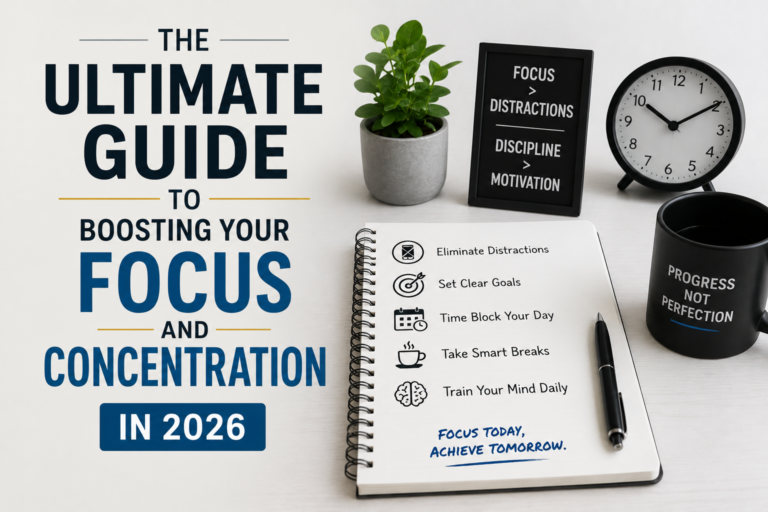

How to Stop Feeling Overwhelmed by Your To-Do List
Ever feel like your to-do list is a monster that just keeps growing, no matter how much you try to tame it? Like you’re constantly juggling tasks, and the more you do, the further behind you feel?
Yeah, me too. For years, I was drowning in a sea of sticky notes, digital lists, and half-finished projects. I’d start each day with the best intentions, only to end up feeling more stressed and less productive than when I began. It’s a frustrating cycle, and it’s something I’ve spent the last two decades actively working to break. This guide isn’t about some fancy new app or productivity hack. It’s about a fundamental shift in how you think about your time, your tasks, and your overall sense of control. Let’s dive in.
The Core Problem: Why To-Do Lists Often Fail
The problem isn’t the to-do list itself; it’s usually *how* we use it. We often treat it as a dumping ground for everything we *think* we should do, not what we *need* to do. This leads to a bloated, unrealistic list that breeds anxiety and procrastination. It’s like trying to drink from a firehose – you’re bound to get soaked and exhausted.
Here are some common pitfalls:
- Over-stuffing: Adding everything and the kitchen sink. “Call dentist,” “Write blog post,” “Clean garage,” all lumped together.
- Lack of prioritization: No clear understanding of what matters most. Everything feels equally urgent.
- Ignoring time constraints: Assuming you have unlimited time, or failing to account for how long tasks actually take.
- Perfectionism: Setting unrealistic standards, leading to tasks that never get finished.
- No system for review and adjustment: Letting the list become stale and irrelevant.
If any of this resonates, don’t worry – it’s fixable. The key is to move from a reactive, chaotic approach to a proactive, focused one.
Step 1: The “Brain Dump” and Task Capture
Before you even *think* about prioritizing, you need to get everything out of your head. This initial phase is all about capturing all the tasks, ideas, and commitments swirling around in your mind. This is often the most *freeing* part of the process, because it gets you to stop having to *remember* so much.
How to do it:
- Choose your method: You can use a notebook, a digital note-taking app (like Evernote or Notion), or even a simple text file. The tool doesn’t matter; consistency does.
- Set a timer (optional): Give yourself a specific time (e.g., 15-30 minutes) to just write. Don’t censor yourself. Just get everything out.
- Capture everything: Include everything, big and small. Errands, work projects, personal goals, emails to respond to – everything goes on the list.
- Don’t worry about organization yet: This is just a brain dump. Don’t try to categorize or prioritize. Just write.
- Review and add: As you go through your day (or week), make a habit of adding new tasks as they arise. Keep a running list.
Mistake to avoid: Trying to organize as you go. Resist the urge to categorize or prioritize during this phase. That comes later. The goal is to get *everything* down, without judgment.
Step 2: Task Categorization & Context
Once you have a comprehensive list, it’s time to bring some order to the chaos. This is where you start to group tasks, and add context that will help you prioritize later.
How to do it:
- Review your list: Read through everything you captured in the brain dump.
- Create categories: Common categories might include:
- Work projects
- Personal tasks
- Errands
- Communication (emails, calls)
- Creative projects
Customize these to your life. The best categories are ones that make sense to *you*.
- Add context: For each task, add clarifying details. This could be:
- Due date: When does it need to be done?
- Estimated time: How long will it take?
- Context: Where will it be done? (e.g., “At home,” “At the office,” “On the phone.”)
- Project affiliation: What project does this task contribute to?
- Group related tasks: Group similar tasks together under a single project or category. This makes it easier to focus and batch similar activities.
Mistake to avoid: Over-categorizing. Don’t create too many categories; it makes the process overly complex. Keep it simple and intuitive.
Step 3: Prioritization: The Power of the “Must Do” and “Should Do”
This is the heart of the process. Prioritization is not about doing *everything*; it’s about doing the *right* things, and doing them in the right order. It’s about making conscious choices about how you spend your time.
How to do it:
- Identify “Must Do” tasks: These are the non-negotiables: deadlines, critical projects, and urgent matters.
- Rank “Must Do” tasks: Within this group, further rank them by importance and urgency.
- Identify “Should Do” tasks: These are important, but not necessarily urgent. They contribute to your goals, but have more flexibility in timing.
- Estimate time for each task: Be realistic. If a task usually takes an hour, don’t estimate 15 minutes.
- Schedule time blocks: Look at your calendar and schedule time blocks for your “Must Do” and “Should Do” tasks. Treat these blocks like appointments.
- Be ruthless about what you *don’t* do: Some tasks will simply get pushed down the list. Be okay with that. Not everything deserves your attention right now.
Mistake to avoid: Overestimating your available time. Most of us are optimistic about how much we can accomplish. Start with a realistic assessment of your time, then plan accordingly. Give yourself some buffer time.
Step 4: The Daily and Weekly Review: Don’t Let it Get Stale
A to-do list is not a “set it and forget it” tool. It’s a living document that needs regular attention. If you don’t review and update your list, it will quickly become irrelevant, and you’ll find yourself back in that overwhelmed state.
How to do it:
- Daily review (10-15 minutes):
- Review your “Must Do” tasks for the day.
- Review your scheduled time blocks.
- Adjust your plan based on any changes or new information.
- Add any new tasks that have come up.
- Weekly review (30-60 minutes):
- Review all tasks on your list.
- Mark completed tasks as done.
- Move incomplete tasks to the next week (or re-evaluate their priority).
- Re-prioritize tasks based on changing deadlines or priorities.
- Review your overall goals and make sure your tasks align with them.
Mistake to avoid: Skipping the review. It’s easy to get busy and let the reviews slide. Make them a non-negotiable part of your routine. These reviews ensure that you are always working on the right things.
Step 5: Tools & Resources to Simplify Your Life
While the principles of effective to-do lists are timeless, technology can certainly help. But don’t get bogged down in finding the “perfect” app. The best tool is the one you’ll actually *use*.
Here are some of my top recommendations (and why):
- For Simple Lists: Google Tasks is a solid choice if you’re already in the Google ecosystem. It’s free, integrates with Gmail and Calendar, and is easy to use.
- For More Advanced Project Management: Consider using project management software like Asana or Trello if you have a lot of different projects going on. These tools let you assign tasks, set deadlines, and track progress.
- For Time Blocking: Use your calendar (Google Calendar, Outlook Calendar, etc.) to block out specific times for your tasks. This helps you visualize your day and prevents over-scheduling.
- For Note-Taking & Brain Dump: A good note-taking app like Obsidian or Notion is great for capturing ideas and organizing information.
Important Tip: Don’t try to learn *everything* about a new tool at once. Focus on the core features that meet your needs. Over time, you can explore more advanced features.
Common Roadblocks and How to Overcome Them
Even with the best system, you will face challenges. Here are some common roadblocks and how to navigate them:
- Procrastination: Break down large tasks into smaller, more manageable steps. Schedule specific time for these steps.
- Perfectionism: Set realistic deadlines and focus on “good enough” rather than aiming for perfection.
- Distractions: Turn off notifications, use website blockers, and create a dedicated workspace.
- Lack of motivation: Identify your “why” – your reasons for completing these tasks. Remind yourself of your goals.
- Feeling overwhelmed: Take a break. Step away from your list and do something relaxing.
It’s okay to have days when you feel off-track. The key is to learn from those experiences and adjust your approach. There is no such thing as “perfect” productivity. The goal is to make consistent progress.
The Power of “No” and Saying No to New Tasks
One skill that often goes unmentioned, but is *critical*, is the ability to say “no.” It is very easy to overcommit. You *must* learn to politely decline requests or new tasks that don’t align with your priorities. Protect your time and energy. It will make a huge difference in your focus and productivity. Do not be afraid to say “no” to things that do not add value or that cause you to become overwhelmed. By politely declining new tasks, you are making way for the important tasks that move you closer to your goals.
Long-Term Success: It’s a Marathon, Not a Sprint
Mastering your to-do list is not a one-time event; it’s an ongoing process. You will refine your system over time. You will learn what works best for you. Don’t expect perfection; embrace progress.
Here are some things to keep in mind:
- Be patient: It takes time to build new habits. Don’t get discouraged if you don’t see results immediately.
- Be flexible: Your needs and priorities will change. Regularly review and adjust your system accordingly.
- Celebrate your wins: Acknowledge your accomplishments, no matter how small.
- Learn from your mistakes: Don’t beat yourself up over setbacks. Analyze what went wrong and use that information to improve.
- Keep it simple: Avoid overcomplicating your system. Simplicity is key to long-term success.
If you’re interested in another perspective on career growth, you might find this article useful: The Silent Career Killer: How Skill Stagnation Sabotages Your Future (And What to Do About It). The same principles of self-awareness and task management apply to all areas of your life.
To take this even further, explore how Complifest can further enhance your journey.
FAQ: Your Burning Questions Answered
Here are some frequently asked questions, along with practical answers, based on real-world experience:
Q: My to-do list is already overflowing. Where do I even start?
A: Start with a brain dump. Get everything out of your head. Then, prioritize by identifying your “Must Do” tasks and focusing on those first.
Q: How do I avoid getting distracted while working on my tasks?
A: Turn off notifications on your phone and computer. Use website blockers to limit access to distracting websites. Create a dedicated workspace where you can focus.
Q: I keep procrastinating. How can I stop?
A: Break down large tasks into smaller, more manageable steps. Set realistic deadlines for each step. Reward yourself for completing tasks.
Q: How often should I review my to-do list?
A: Review your list daily to make minor adjustments. Do a more comprehensive review weekly to ensure you are on track with your overall goals.
Q: What if I don’t have time to complete everything on my list?
A: That’s okay! Be realistic about your time and prioritize your tasks. Learn to say “no” to new commitments if necessary.
Q: What’s the best to-do list app?
A: The best app is the one you will actually use. Start with a simple app and add more complex features only if you need them. Google Tasks is a good, simple starting point.
Q: What if my priorities keep changing?
A: That’s normal! Regularly review and adjust your to-do list to reflect your current priorities. Flexibility is key to success.
Q: How do I deal with the feeling of never being “done”?
A: Accept that you will never truly be “done.” Focus on making consistent progress. Celebrate your accomplishments, and learn to let go of perfectionism.